If your Google Ads keywords aren’t triggering ads, it’s often due to mismatched keyword types, low bids, or poor ad relevance. Understanding how match types behave—and how they interact with user search intent—is key to getting your ads seen.
Why Is My Google Ads Keyword Match Type Not Triggering Ads?
You’ve set up your keywords, written compelling ads, and launched your campaign. But when you search for your target phrases, nothing shows up. Or worse—you’re getting zero impressions.
If you’re wondering why your Google Ads keyword match types aren’t triggering ads, this guide will walk you through the most common reasons and how to fix them.
1. You’re Using the Wrong Match Type for Your Goal
There are three main match types in Google Ads:
- Broad Match: Shows ads for variations, synonyms, and related searches
- Phrase Match: Triggers ads for queries that include your phrase in the same order
- Exact Match: Only triggers when the user search matches your keyword closely
Example:
| Keyword Match | Keyword | User Search | Will Trigger? |
| Broad | running shoes | cheap jogging sneakers | ✅ |
| Phrase | “running shoes” | buy running shoes online | ✅ |
| Exact | [running shoes] | running shoes | ✅ |
| Exact | [running shoes] | best running shoes | ❌ |
Problem: If you’re using too strict a match type (like exact), your ads won’t show unless the search query matches almost perfectly.
Fix:
- Start with Phrase Match to balance relevance and reach
- Use Broad Match only if you’re monitoring closely with smart bidding
- Check the Search Terms Report regularly for real searches and add keywords accordingly
2. Your Keyword Has a Low Quality Score
Google assigns a Quality Score from 1–10 based on:
- Expected CTR (Click-Through Rate)
- Ad Relevance
- Landing Page Experience
Low scores = fewer impressions.
Fix:
- Make sure your ads match the intent of your keyword
- Use the keyword in the headline and description
- Improve your landing page for better alignment and experience
- Monitor Ad Strength suggestions in responsive search ads
3. Your Ad Rank Is Too Low
Google doesn’t just look at keywords—it evaluates Ad Rank, which is:
Ad Rank = Quality Score × Max CPC Bid
If competitors have higher ad ranks, your ad won’t show.
Fix:
- Raise your bids for that keyword
- Improve ad relevance and landing page quality
- Use ad extensions like sitelinks or callouts to boost CTR and Ad Rank
4. There Are Conflicting Negative Keywords
You might have accidentally blocked your own keywords using negative keywords.
Example:
- Keyword: “best vegan protein”
- Negative Keyword: “vegan”
→ Your ad won’t show for searches including “vegan”
Fix:
- Review your Negative Keyword List
- Look at your Search Terms Report to spot missing matches
- Remove or narrow down overly broad negatives
5. Your Budget or Bid Is Too Low
Even if your keyword is relevant and matches search intent, your bid or daily budget may be too low for competitive auctions.
Fix:
- Increase your Max CPC bid
- Raise your daily budget (especially in high-volume niches)
- Use automated bidding strategies like Maximize Clicks or Target CPA
6. Your Ad or Campaign Is Paused or Limited
Sometimes the issue isn’t the keyword—it’s the campaign status.
Check:
- Is your campaign active?
- Are the ad groups and ads approved?
- Are there any disapprovals or policy violations?
Fix:
- Navigate to your Ads & Extensions tab and check for disapprovals
- Ensure your billing is up to date
- Reactivate any paused items
7. Your Location or Language Targeting Doesn’t Match
Your keyword may be fine, but if your targeting settings don’t align with how users search, your ad won’t trigger.
Example:
- Keyword: “cheap plumbers in New York”
- Location Targeting: California
→ Your ad won’t trigger for searches from NY
Fix:
- Go to Campaign Settings > Locations & Languages
- Ensure you’re targeting the right region
- Match your keyword language to your audience’s actual search language
8. Keyword Competition Is High
Sometimes the keyword is just too competitive—especially for new advertisers or limited budgets.
Fix:
- Look for long-tail keywords with lower competition
- Use Keyword Planner to find high-volume but low-competition phrases
- Test variations with different match types to see what triggers best
9. Campaign Is Using a Limited Inventory Network
If you’re running on Search Partners or the Display Network, keyword behavior changes.
Search Partners: Limited reach, no control over where your ads show
Display Network: Keyword targeting works differently—contextually, not exact matching
Fix:
- Try running the campaign on Google Search Network only first
- Analyze placement reports to see where your ads are (or aren’t) showing
10. Google’s Learning Phase and Algorithm Lag
If your campaign is new or recently edited, Google may take time to learn and optimize delivery.
What to do:
- Wait at least 3–5 days after making changes
- Avoid making frequent changes that reset the learning phase
- Monitor metrics but give time for data to accumulate
✅ What You Should Check First
- Keyword match type: Is it too restrictive?
- Ad relevance: Does it reflect the keyword and landing page intent?
- Budget and bids: Are they enough to compete?
- Negative keywords: Any accidental conflicts?
- Campaign status: Active and approved?
- Location/language settings: Do they align with the audience?
🔗 Internal Resource
Explore more ad performance fixes at:
👉 Socinova Google Ads Insights
🔗 External Resources
Final Thoughts
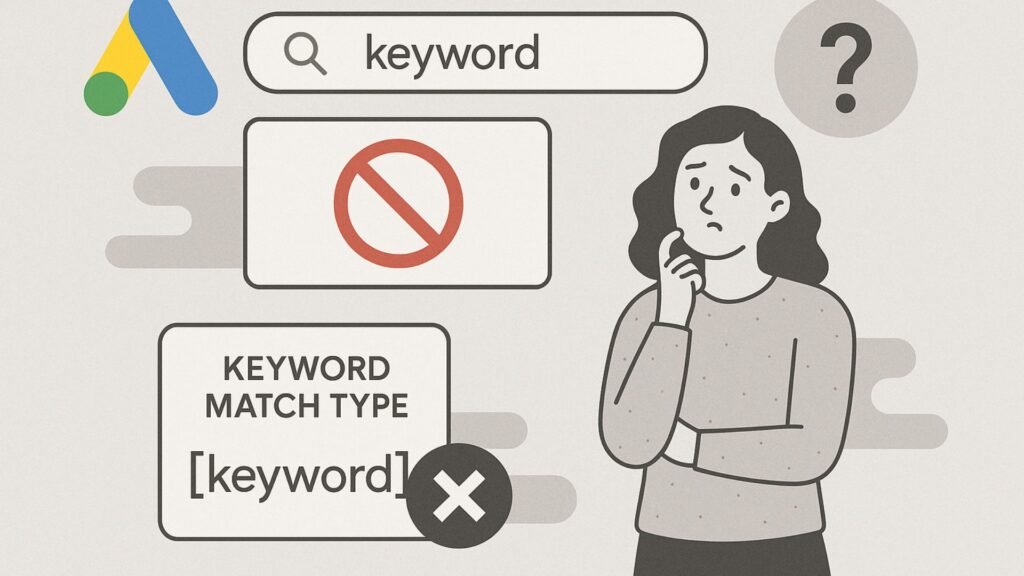
If your Google Ads keyword isn’t triggering, it’s usually one of three things: your match type is too strict, your ad rank is too low, or your targeting setup is off. Fortunately, each of these is fixable with a few adjustments and regular monitoring.
Still not sure why your campaign isn’t firing properly?
Let the experts at Socinova review your setup and guide you with actionable fixes that make your campaigns work better—without wasting budget.