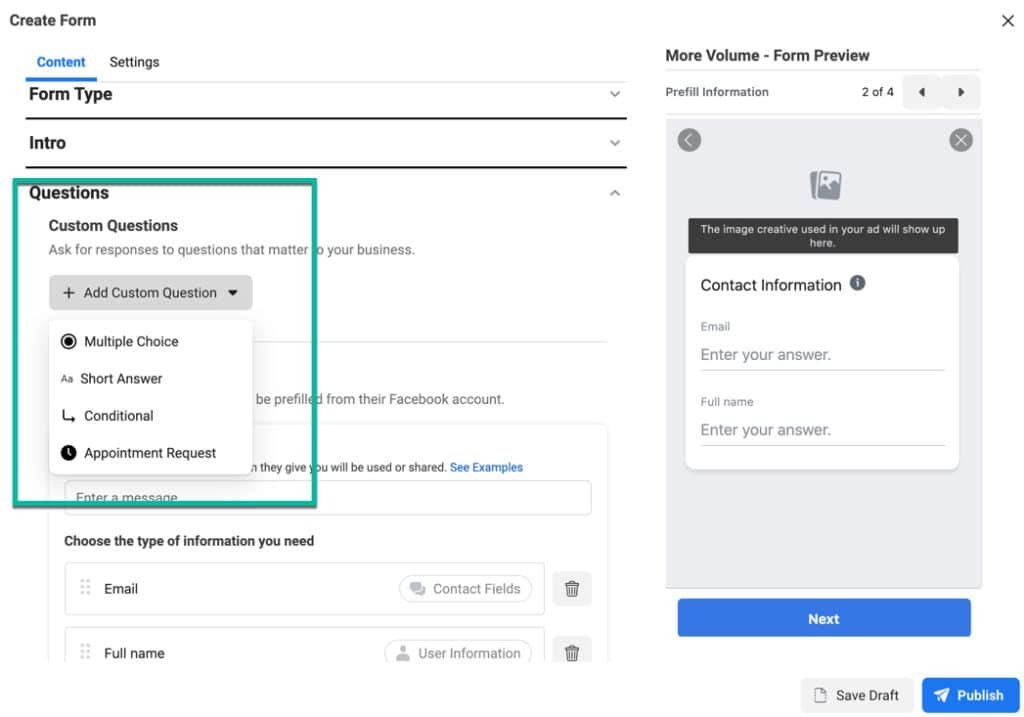
If your Facebook lead form submissions aren’t syncing with your CRM, the issue is usually tied to missing integrations, expired tokens, or incorrect field mapping. Fixing this requires checking your permissions, reconnecting the app, and confirming your lead delivery setup.
Why are my Facebook lead form submissions not syncing with my CRM?
When your Facebook lead ads are getting filled but not showing up in your CRM, it’s not just frustrating—it can cost you revenue. This is one of the most common automation bottlenecks in lead generation, especially for service-based businesses and e-commerce brands relying on fast response.
Let’s go through the possible reasons and fixes.
1. Integration Is Broken or Disconnected
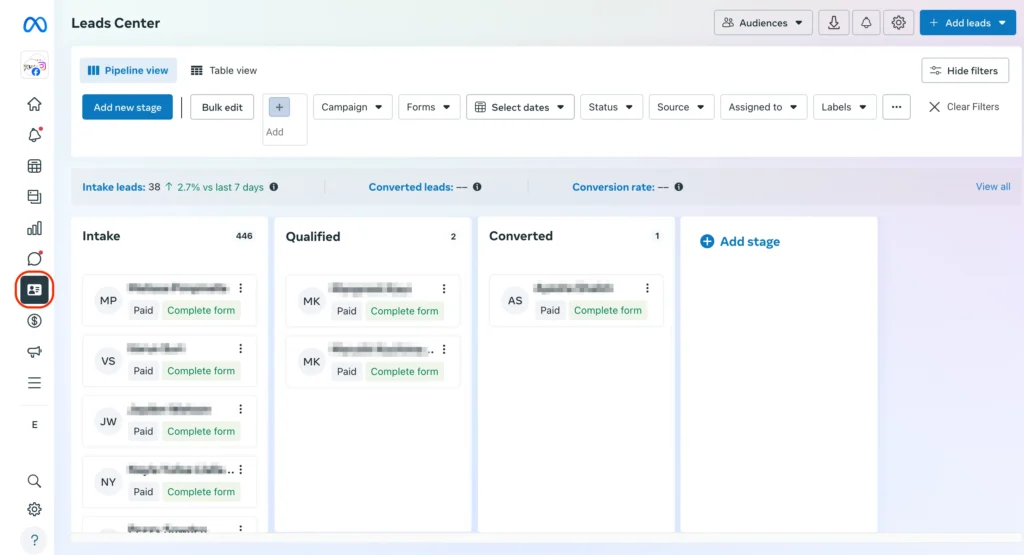
Most CRMs like HubSpot, Zoho, or GoHighLevel integrate with Facebook either natively or via tools like Zapier, LeadsBridge, or Make (formerly Integromat). If your access token or permissions expire, the sync silently fails.
✅ How to Fix:
- Go to Facebook Business Integrations and ensure your CRM app is still connected.
- Reauthorize access under Business Settings > Integrations.
- Refresh the access token inside your CRM (or integration platform like Zapier).
2. Field Mapping Errors
If your lead form includes fields that don’t exist in your CRM or are mismatched (e.g., using “Full Name” instead of “First Name” and “Last Name”), the data may not save properly—or the entire sync might fail.
✅ How to Fix:
- Use middle-layer tools like Zapier to reformat fields if needed.
- Revisit the lead form in Facebook Ads Manager.
- Match fields exactly with those in your CRM.
3. CRM Webhook or Zap Is Inactive
If you’re using Zapier, Make, or a webhook-based solution, your automation might be turned off, broken, or not catching the webhook trigger.
✅ How to Fix:
- In Zapier/Make, re-test the trigger and inspect the task history.
- Check whether the webhook is still listening and correctly attached to your lead form.
- Ensure it’s live and error-free (look for 200 OK status).
4. Permissions Not Granted for the Correct Page/Form
Your Facebook Business Page must be granted permission to the CRM or integration tool—especially if multiple ad accounts or admins are involved.
✅ How to Fix:
- In Business Manager > Page Settings > Leads Access, grant the correct permissions to the app or CRM.
- Make sure the CRM user has access to the Facebook Page and associated ad account.
- Double-check form-specific access under Instant Forms > Settings.
5. Lead Ads Testing Tool Not Used Before Publishing
If the connection was never tested, you may be waiting for leads that were never routed properly due to a simple setup error.
✅ How to Fix:
- Use this to diagnose field mapping and connection issues before going live.
- Use Facebook’s Lead Ads Testing Tool to send a test lead.
- Check whether the lead appears in your CRM.
6. CRM-Side Filters or Automations Are Blocking Leads
Even if the leads reach your CRM, custom logic (like validation rules or required fields) may prevent them from being visible or properly recorded.
✅ How to Fix:
- Temporarily disable lead filters, assignment rules, or workflows.
- Look in Activity Logs or Audit Trails to see if the data was rejected or redirected.
- Check your spam, duplicate, or invalid entries section (some CRMs block unverified emails or phone numbers).
7. Multiple Lead Forms or Ad Accounts Are Causing Mismatch
If you’re running multiple forms or ads but only one is connected properly, the others won’t deliver data—even if they look identical.
✅ How to Fix:
- Match each specific form ID to a Zap or CRM automation.
- In tools like LeadsBridge or GoHighLevel, select the exact form name instead of assuming all will connect.
- Keep naming conventions consistent to avoid errors.
Final Checklist to Fix Facebook-CRM Sync Issues
| Item | Action |
|---|---|
| Facebook Page Access | Recheck permissions for the CRM/integration tool |
| Form Connection | Ensure correct form is selected in the CRM/Zap |
| Token Expiry | Reconnect app via Business Manager |
| Field Matching | Use exact CRM field names or re-map |
| Test Submission | Use Facebook’s test tool for diagnostics |
| Logs & History | Review Zapier/CRM logs for failed events |
| CRM Filters | Disable custom logic that may block data |
How Socinova Can Help
At Socinova, we specialize in seamless CRM and ad platform integrations. Whether you’re using GoHighLevel, HubSpot, Mailchimp, or Salesforce—we ensure your leads flow directly into your funnel, properly tagged, scored, and ready for conversion. We also help set up Facebook ad automations that avoid data loss.
📩 Want a free lead sync audit? Get in touch